 screenrove
What Vercel’s empty product screens can teach you about UI design
Study projects, deployments, analytics and integrations before they contain data—and separate a useful empty state from a miniature sales page.
An empty screen is part of the product experience, not a placeholder for the real interface. It has to explain what belongs there and help someone take the next sensible step. Our Vercel collection is useful for this because it was captured inside an empty Hobby research team.
We captured projects, deployment history, the analytics project picker, storage and integration views. No repository connection or deployment was completed, and we did not capture populated metrics or paid-plan screens. Explore the seven product references to see the scope.
Start by identifying why the screen is empty
“No content yet” can mean several things. A team may have no projects. A feature may require selecting a project. A service may need a connection. Those conditions call for different instructions and different actions. Treating them all as “Get started” loses useful context.
The analytics reference is labelled as a project picker. That is a crucial distinction: it should not be used as a reference for a populated analytics dashboard. Its job is to help the user choose the thing they want to inspect.
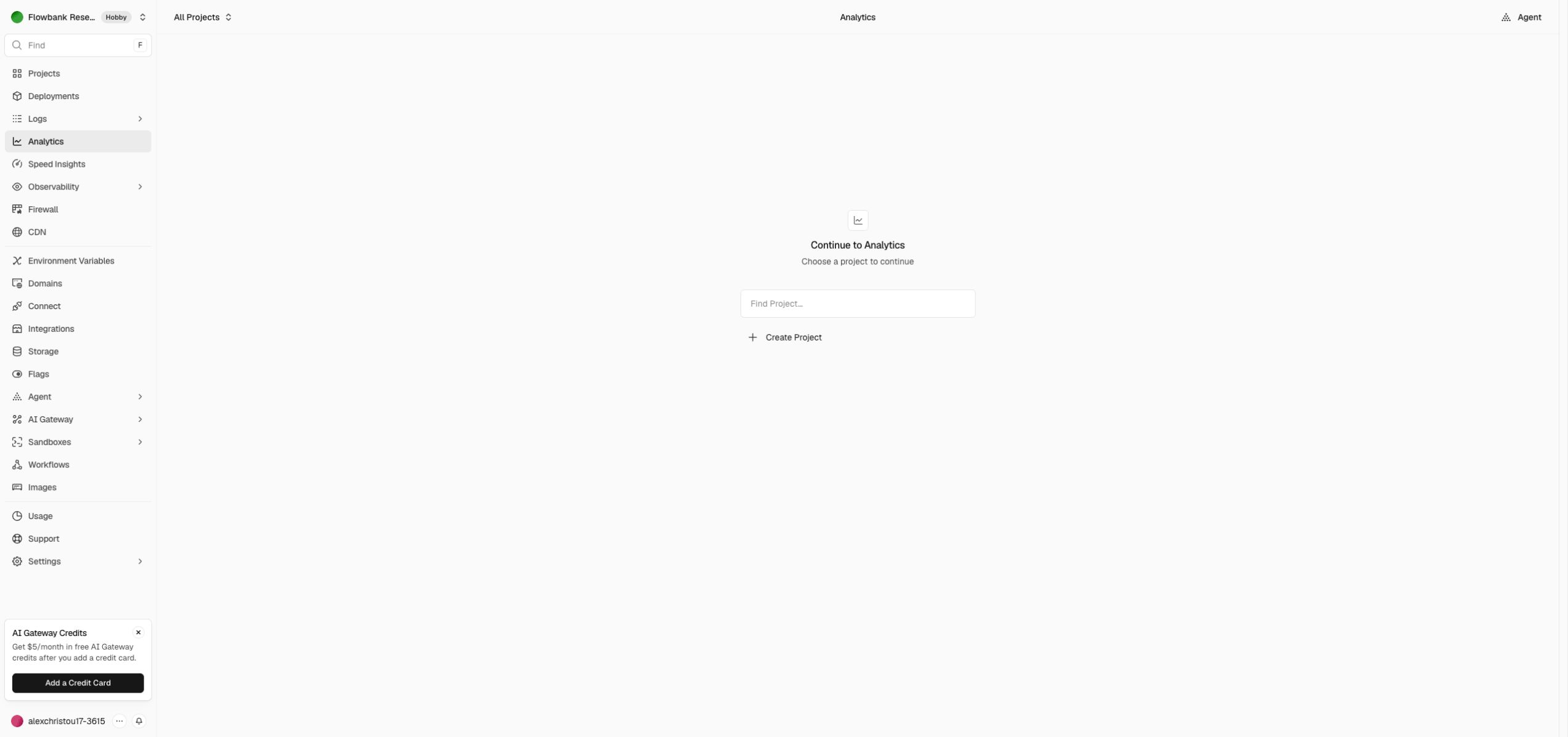
Keep the surrounding navigation visible
When studying an empty state, look beyond its central message. The surrounding navigation tells someone where they are and what else they can do. A reference package should preserve enough of that context to distinguish a projects overview from deployment history or integrations.
In Screenrove, the captured product screens are connected with hotspots. These links help you explore the recorded destinations; they are not a live copy of the original product. Use them to understand the relationship between views before designing the empty-state content itself.
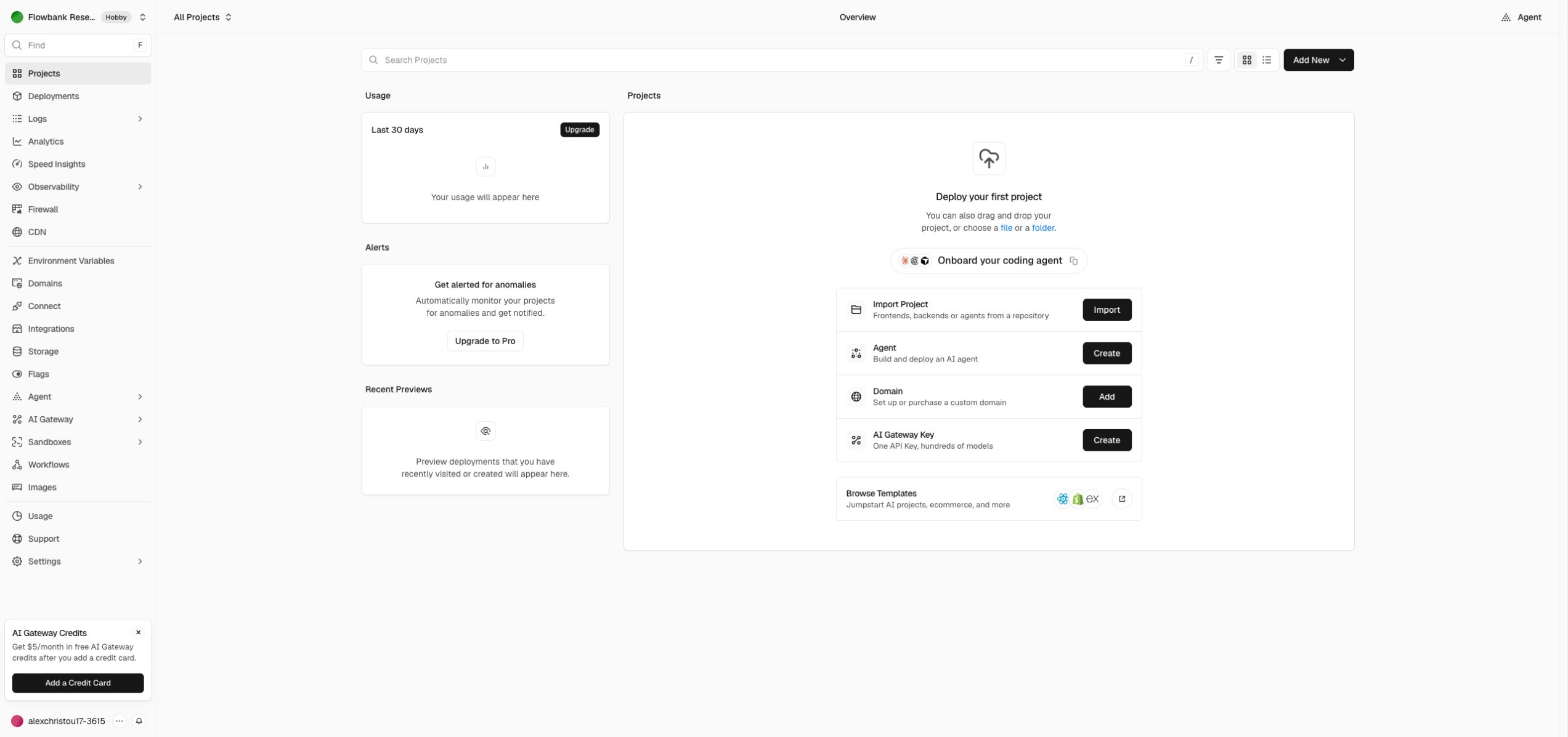
Match the primary action to the missing prerequisite
A good implementation brief names the action precisely. Should someone create a project, import a repository, pick an existing project or browse a provider? These actions lead to different flows and require different loading and failure states.
Our Vercel onboarding reference includes new-project and template-configuration screens as well as the captured signup route. It does not include a successful deployment. If you use these references to build an import flow, specify the connection, validation and completion behavior separately.
Distinguish exploration from setup
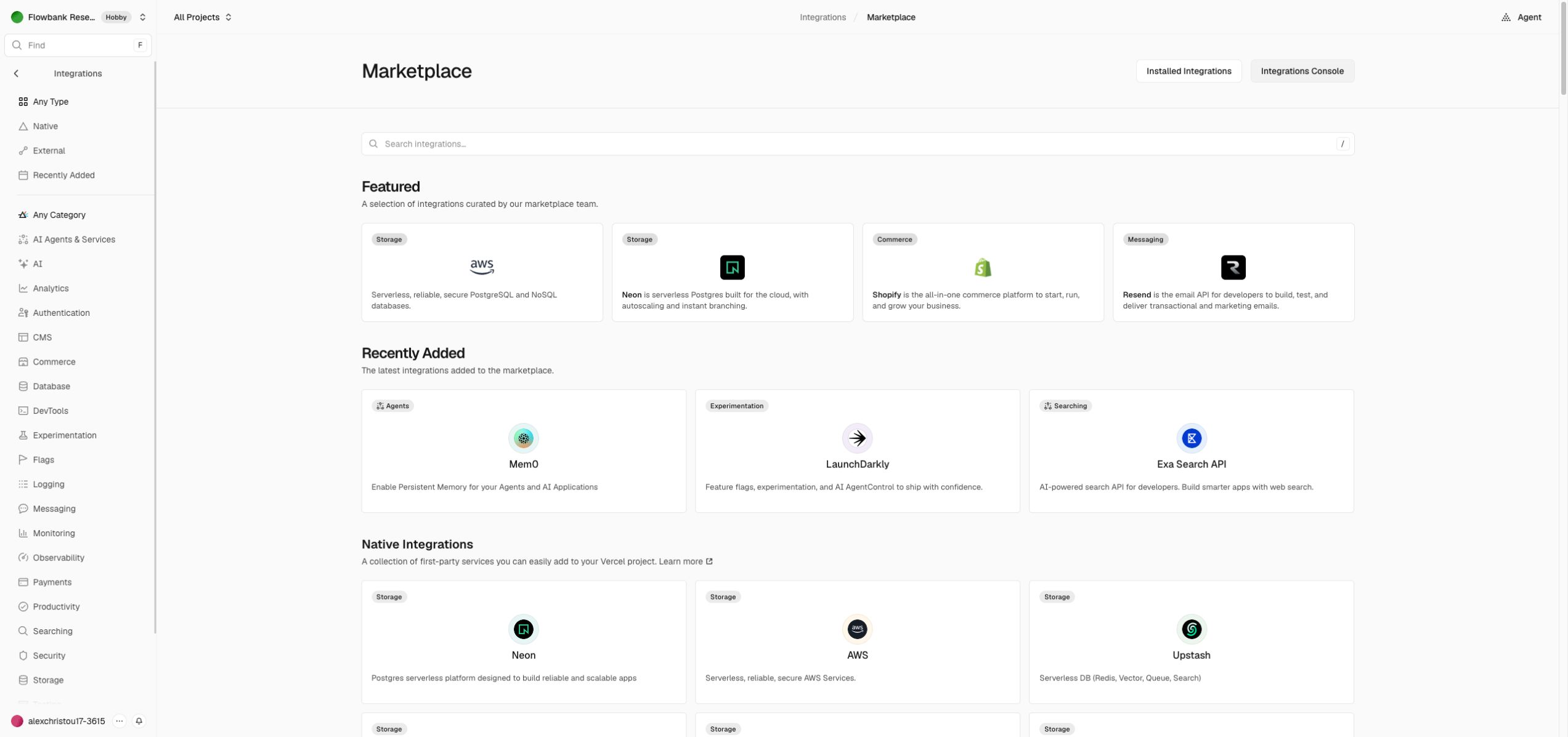
A marketplace screen lets someone compare possibilities. A connection screen asks them to commit to one. The integration marketplace and integration detail references let you study that change in scope. Keep browsing controls separate from actions that would connect a third-party service.
A practical empty-state checklist
- Name the missing object or prerequisite in ordinary language.
- Provide one clear next action with a meaningful destination.
- Keep navigation and page identity visible.
- Separate a first-use state from loading, errors and filtered-out results.
- Plan the populated state so the layout does not feel like a different product once data arrives.
- Test with long names, narrow screens and keyboard navigation.
The last three items are implementation recommendations, not claims about unvisited Vercel states. That separation keeps the reference honest and gives your coding agent a better brief.
Start with one captured screen, open “Use in agent” and explain what your product’s empty state means. The image can guide hierarchy and density; your product requirements should determine what happens when the user acts.