 screenrove
Cal.com / From team page to booking form
Logged-out desktop journey on Cal.com's own public demo event ("Acme Introductionary Call" on the Cal.com team page): month view, date, time slots, duration, timezone, week and column views, and the booking form captured empty. Nothing was typed or confirmed, so confirmation, rescheduling and every signed-in screen (event types, availability, bookings, settings) are not captured. Slot times depend on the day of capture and the visitor timezone (Europe/London).
1. Booking page, month view
A Cal.com team demo event, "Acme Introductionary Call", opened from the Cal.com team page. Three panes in one bordered card on a light grey canvas: an event column (banner image, "Team" label, title, description, a 15m / 30m duration toggle, Cal Video, Europe/London timezone), a month calendar where bookable days are grey tiles and today (Thu 24th) is filled near-black with a dot, and a slot column for today starting at 18:15. Top right: an "Overlay my calendar" switch and a month / week / column view toggle.
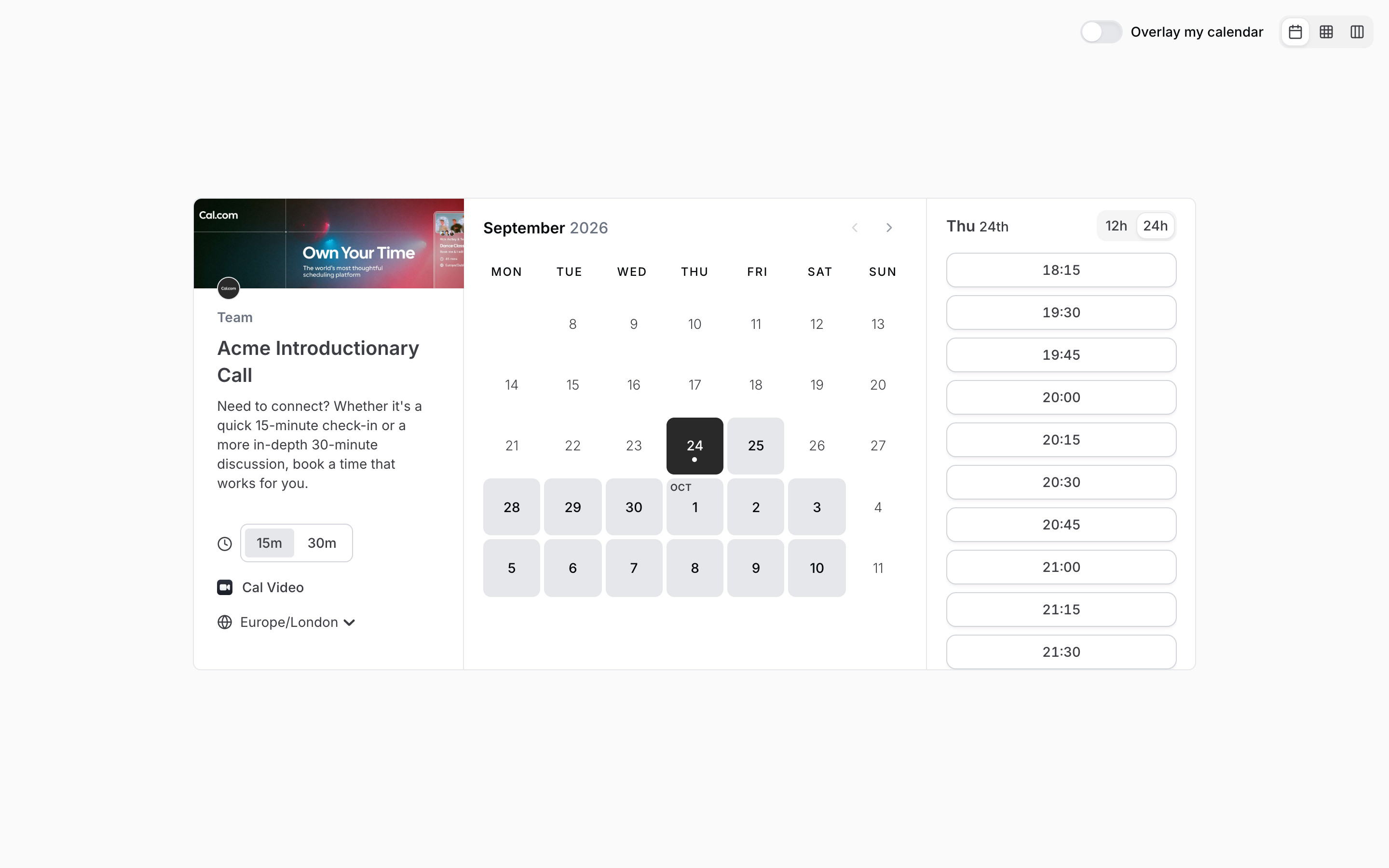
- Pick a date (Tue 29th) → Date picked, time slots
- Switch to week or column view → Week view / Column view
- Pick a slot for today → Booking form (not captured for today)
2. Date picked, time slots
Tue 29th becomes the filled near-black tile and the right column re-titles to "Tue 29th" with a list of outlined slot buttons in 15-minute steps, starting at 01:00 in the default 24h format. A 12h / 24h toggle sits in the column header. The slot list scrolls inside the card.
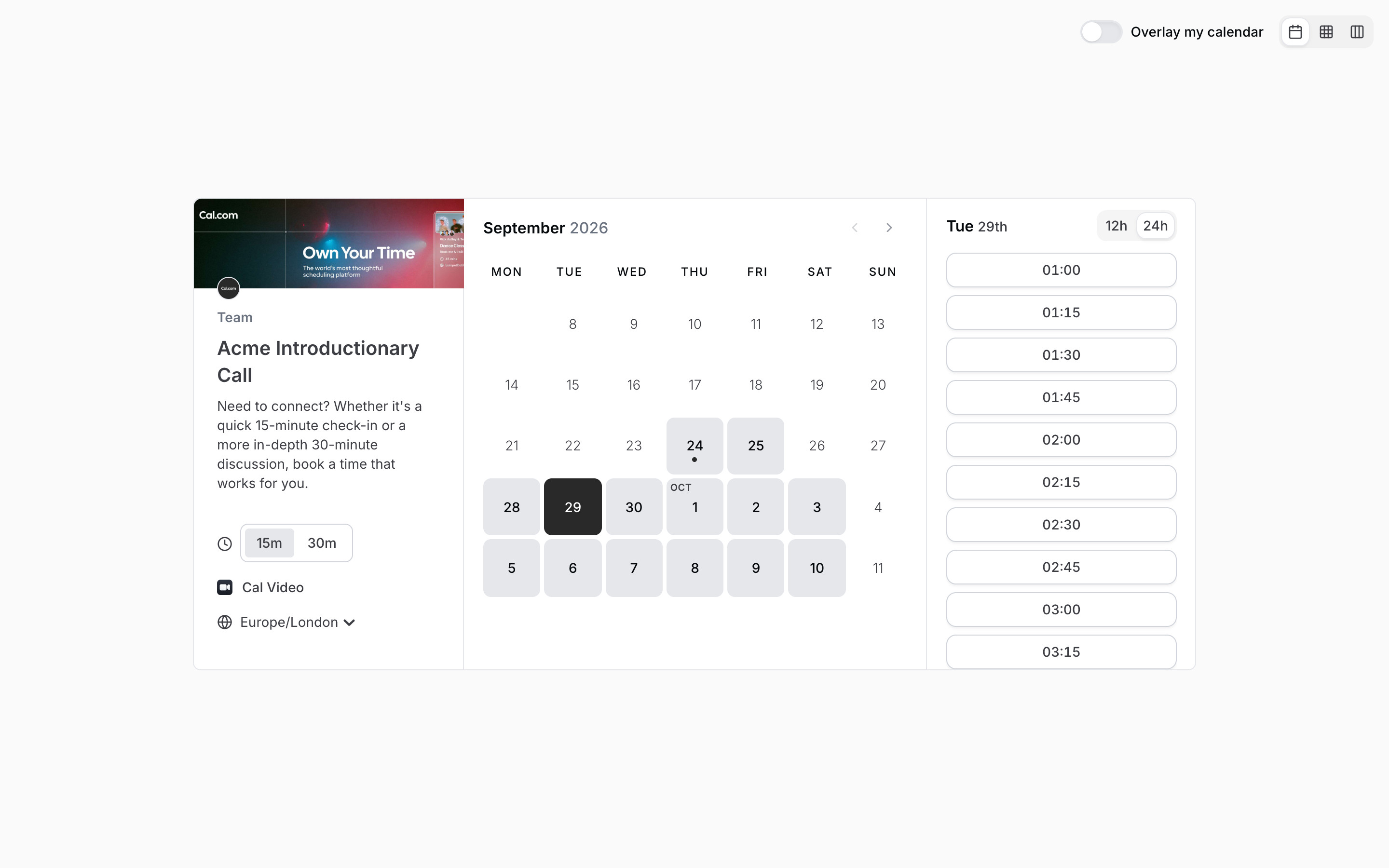
- Choose the 30m duration → 30-minute duration
- Open the timezone menu → Timezone menu
- Click the 10:00 slot → Booking form, empty
3. 30-minute duration
Choosing 30m moves the grey pill in the duration toggle and the slot list regenerates in 30-minute steps (01:00, 01:30, 02:00 ...). The selected date stays in place.
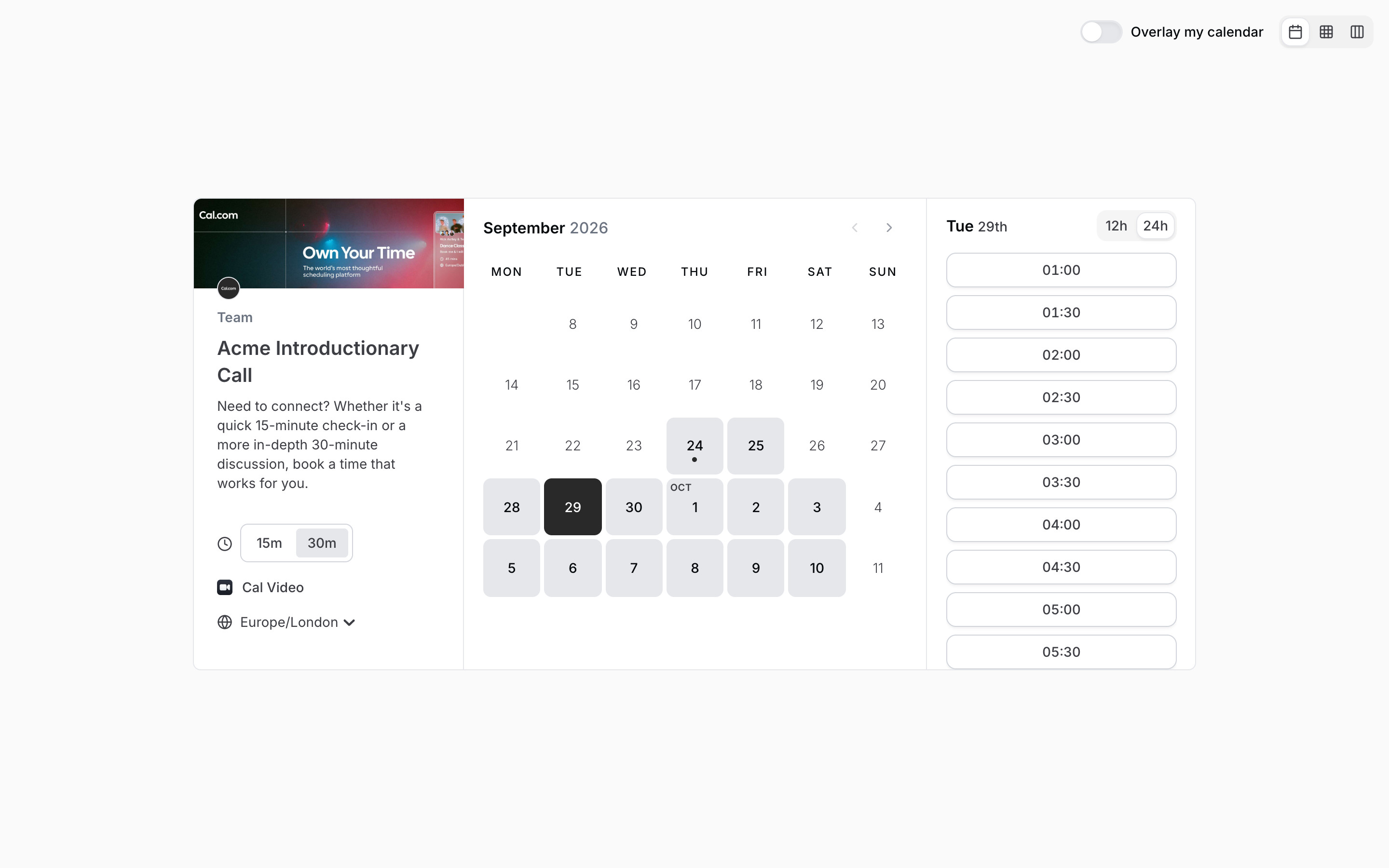
- Switch back to 15m → Date picked, time slots
4. Timezone menu
The Europe/London control opens a small list under the event column with GMT offsets (Africa/Lome GMT +0:00, Africa/Algiers GMT +1:00, Africa/Luanda GMT +1:00, Europe/London GMT +1:00 with a check mark). Nothing was changed; Escape closed it.
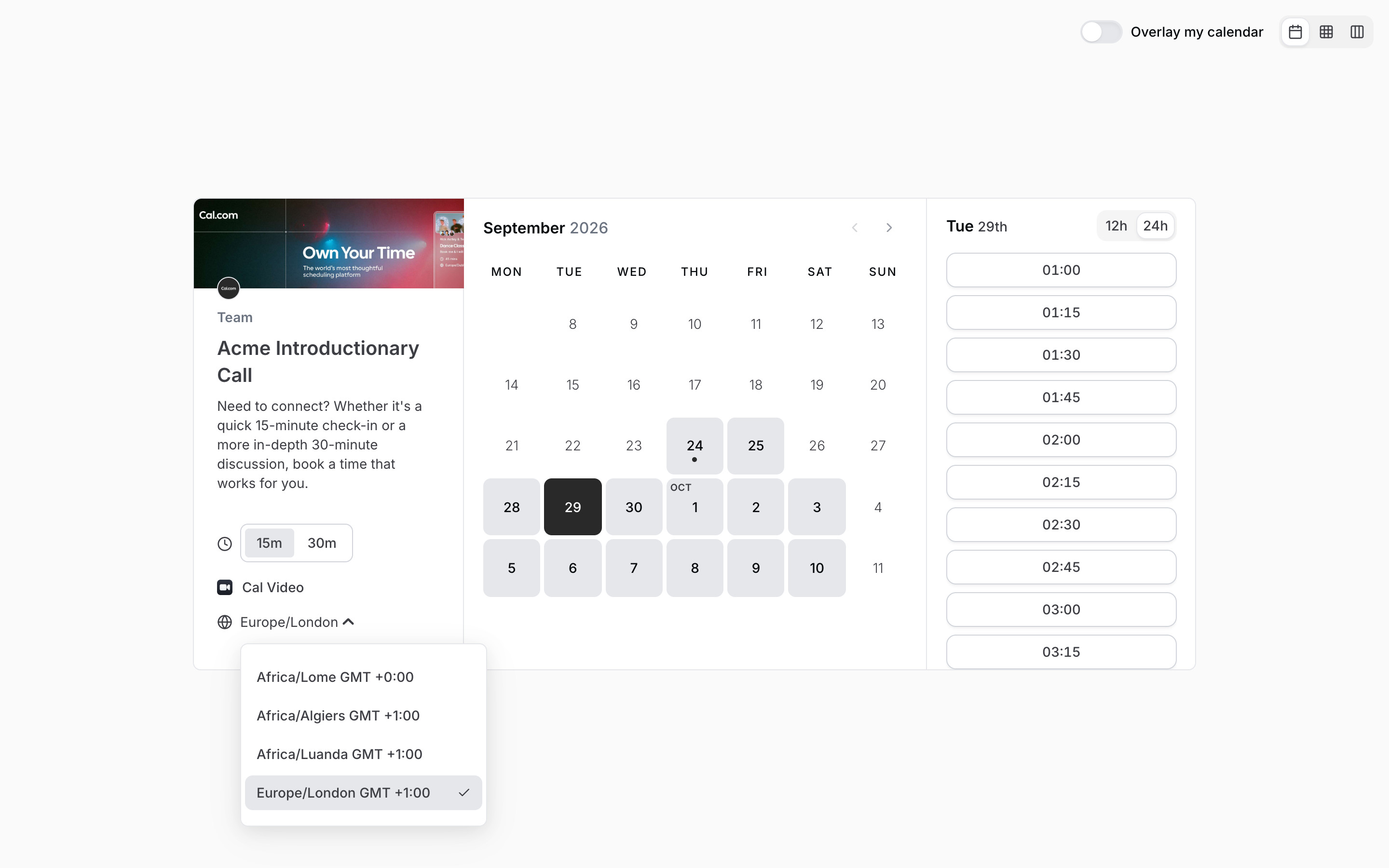
- Press Escape → Date picked, time slots
5. Week view
The week toggle turns the page into a full-bleed calendar: the event details and a mini month calendar move into a left rail, and a seven-day grid (Sep 29 - Oct 5, 2026) with prev / next arrows, a Today button, the overlay switch and a 12h / 24h toggle fills the rest. Hatched cells mark unavailable time and a black line marks the current time. Slot times appear on hover; an earlier frame showed a hover label, this one is captured at rest.
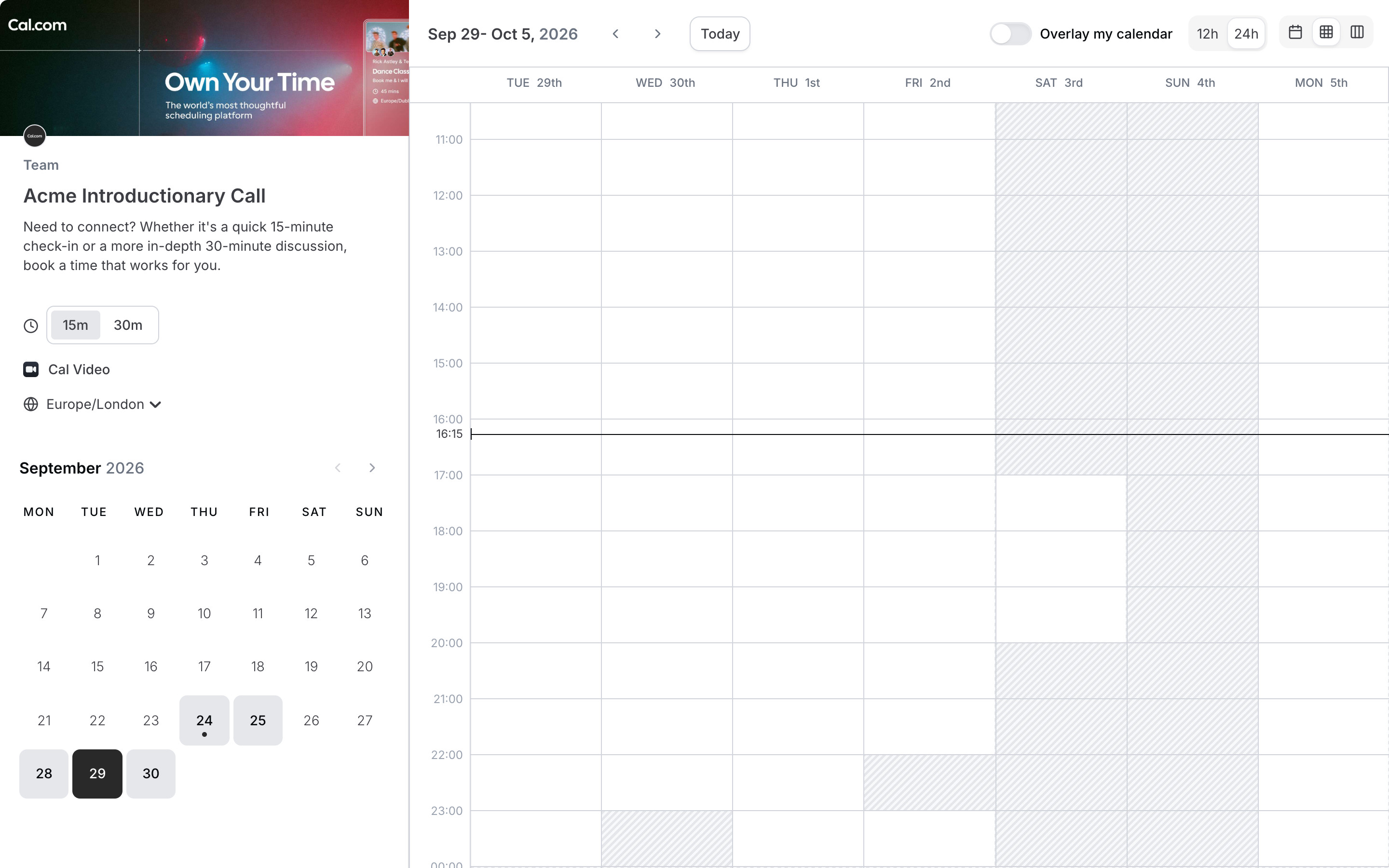
- Switch to column view → Column view
- Switch to month view → Date picked, time slots
6. Column view
Column view keeps the left rail and lays out one column of slot buttons per day (Tue 29th to Mon 5th Oct). Saturday 3rd only runs from 17:00 to 19:45 and no Sunday column is shown for this event.
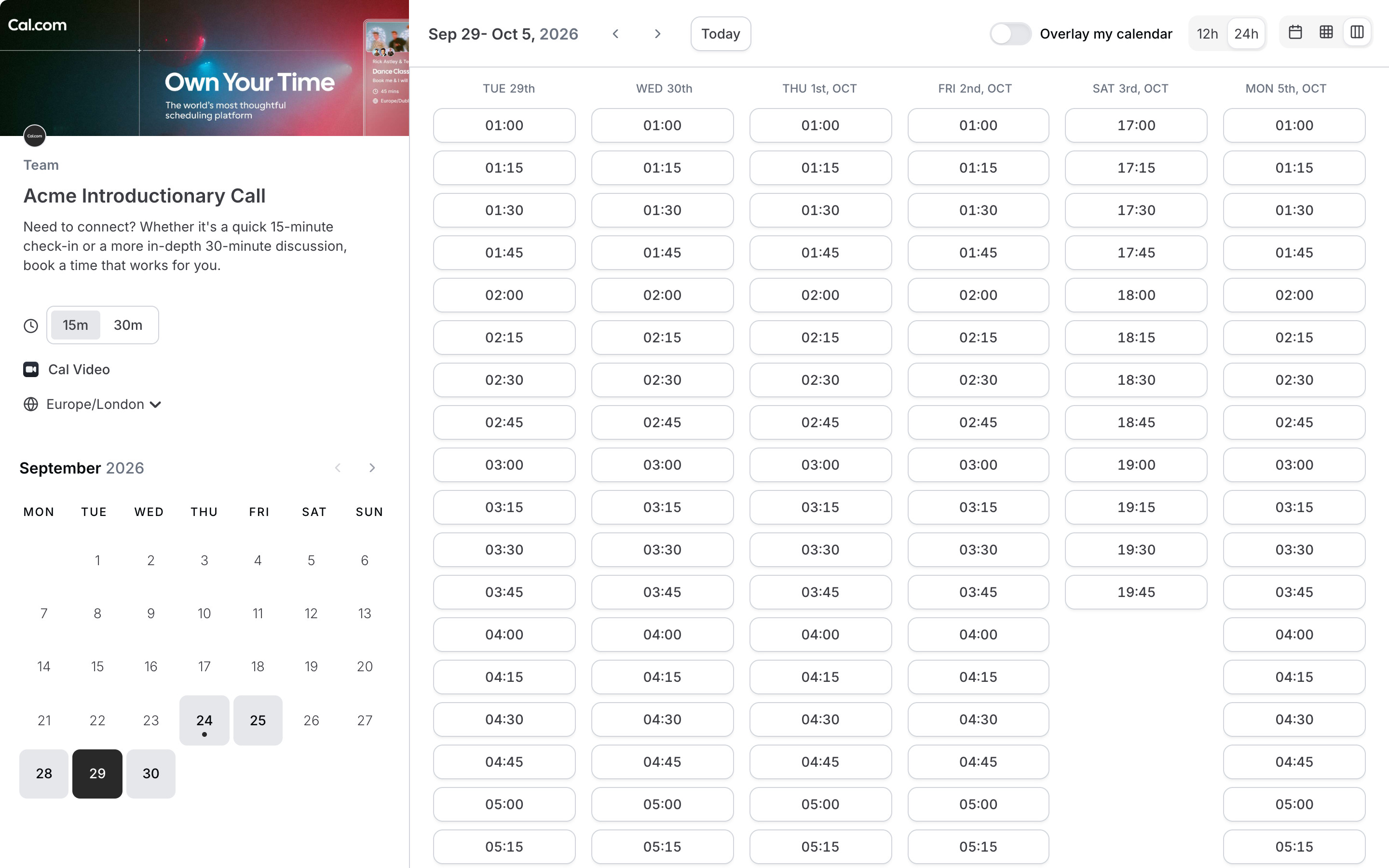
- Switch to month view and pick a slot → Booking form, empty
7. Booking form, empty
Picking 10:00 on Tue 29th swaps the calendar and slot panes for a form. The event column now lists Tuesday, September 29, 2026, 10:00 - 10:15, 15m, Cal Video and Europe/London. Fields: Your name *, Email address *, Additional notes (placeholder text) and an Add guests link, then a Terms and Privacy Policy line and Back / Confirm buttons. Nothing was entered and nothing was confirmed.
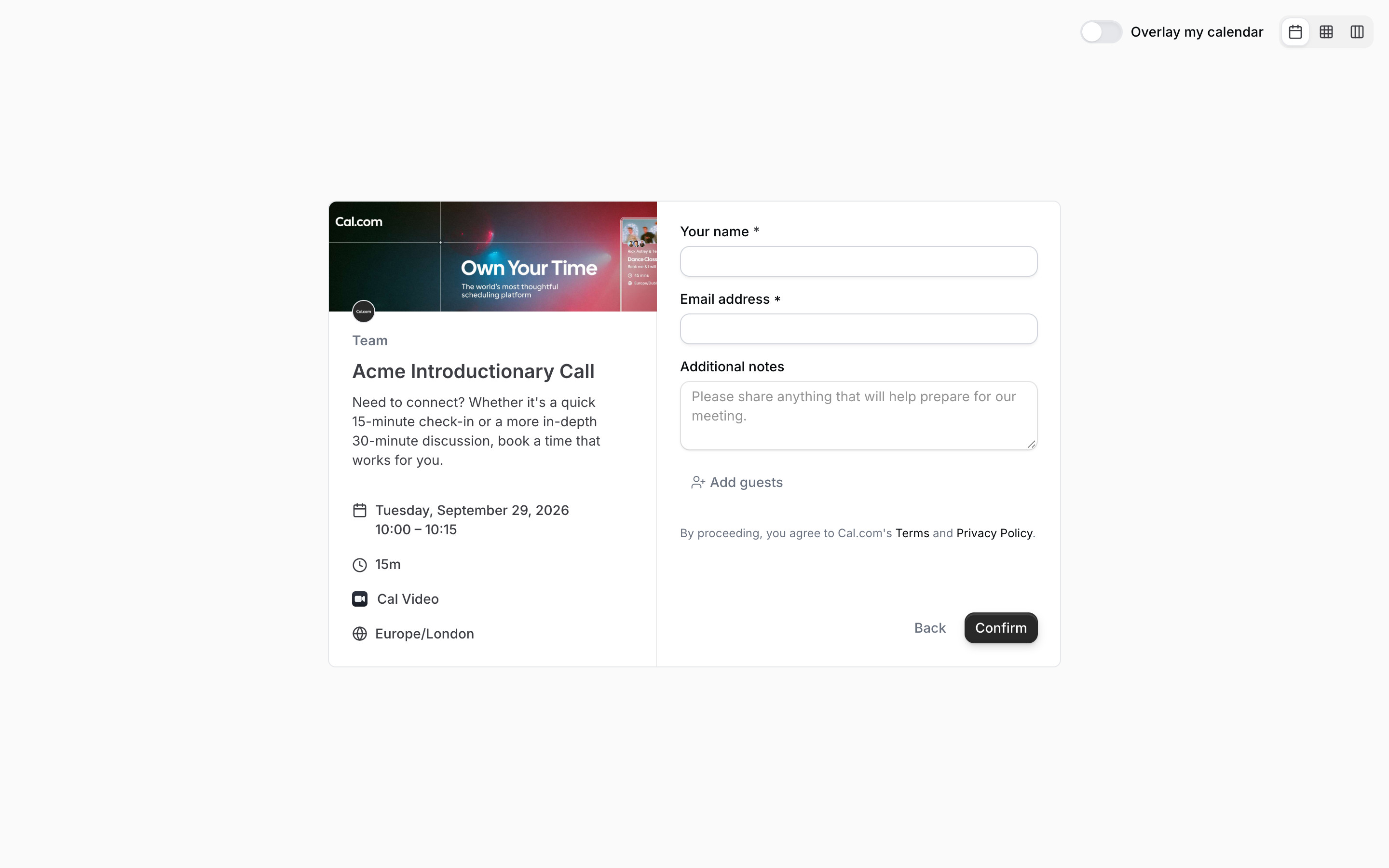
- Back → Date picked, time slots
- Confirm → Not explored