 screenrove
AI-ready documentation: docs pages now written for coding agents
AI-ready documentation from real product screens: Stripe's Copy for LLM and View as Markdown, Raycast's Ask or search, Clerk's SKILL.md and Eraser's MCP setup.
Every section of Stripe's API reference now carries three actions that no human reader strictly needs: "Ask about this section", "Copy for LLM" and "View as Markdown". That small row is the clearest sign in our library of AI-ready documentation: docs pages that assume the next reader may be a coding agent, or a person about to paste the page into one.
The sample here is small. The blog pages wall has 18 screens from 12 products, and only 10 of them are docs or help pages (the 9 tagged help / docs plus Raycast's docs-hosted changelog). Those 10 come from 6 products. Two of the six, Stripe and Raycast, put an AI or copy affordance on every docs screen we captured: 6 of the 10 screens. So we widened the lens to the rest of the library, where the same idea shows up on landing pages and onboarding steps.
Stripe: the section is the unit
On the API reference, the action row repeats on every section header we saw: Introduction, Authentication, Customers, The Customer object. It is set in small grey type, so it never competes with the heading. Code panels add their own pair of icons, copy and a sparkle, so a single snippet can be lifted or questioned on its own.
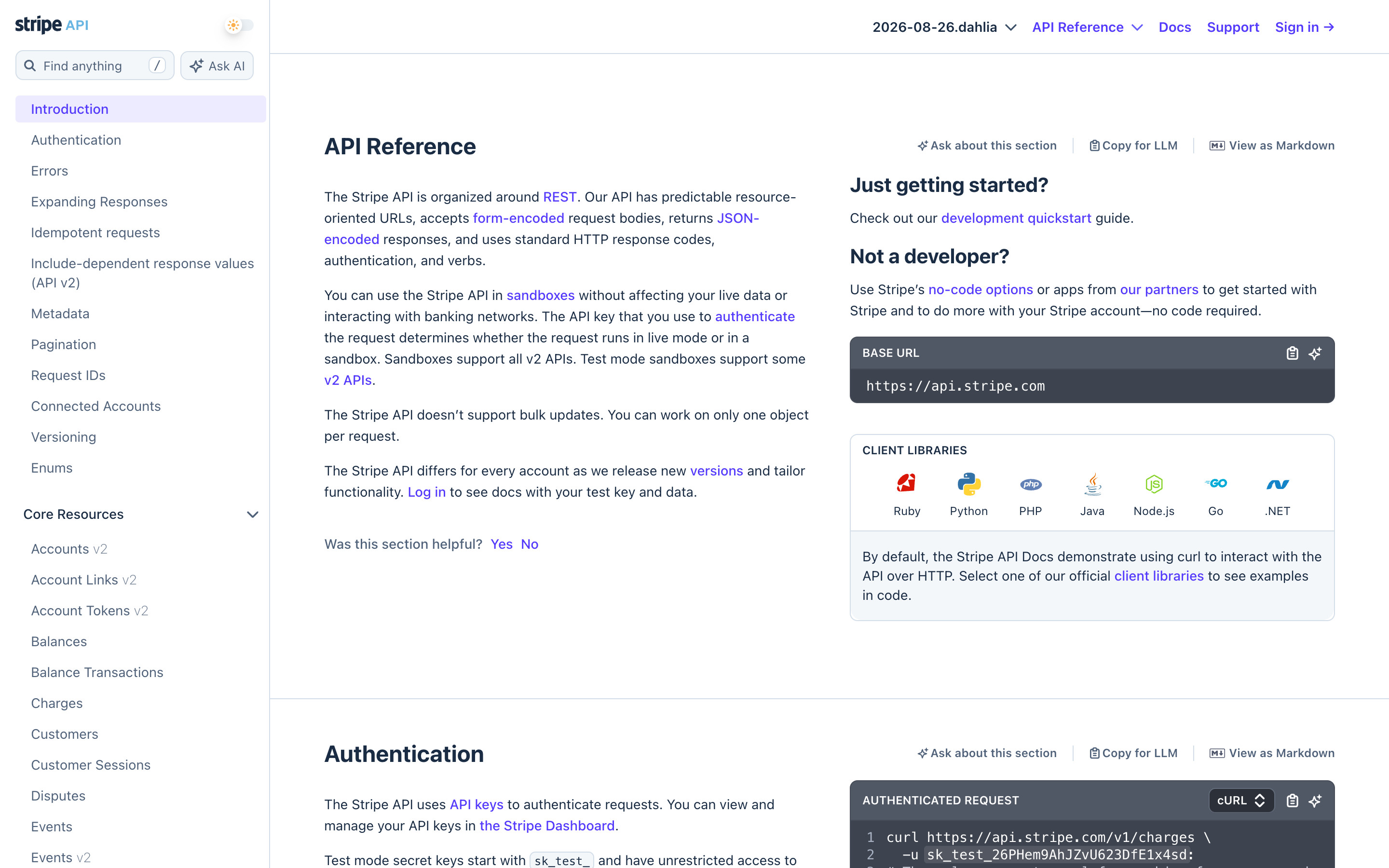
Two details matter more than the buttons. The unit is the section, not the page. An agent working on customers wants the Customer object and its endpoints, not the whole reference, and "Copy for LLM" hands over exactly that slice. And the human feedback prompt ("Was this section helpful? Yes No") sits at the same granularity, so the docs team can see which sections people needed help with.
The search box is paired too. In the API sidebar, "Find anything" sits beside "Ask AI"; on the docs home, "Search" sits beside "Ask AI" in the header. All four Stripe docs screens on the wall, including the Customers endpoint list and the APIs & SDKs menu, show that pair.
Raycast: one Copy button and a search that answers
Raycast's developer docs run on GitBook ("Powered by GitBook" sits at the foot of the sidebar). The header search placeholder reads "Ask or search…", merging the two boxes Stripe keeps apart. Both captured pages have a Copy split button beside the title: the Introduction and on the changelog alike.
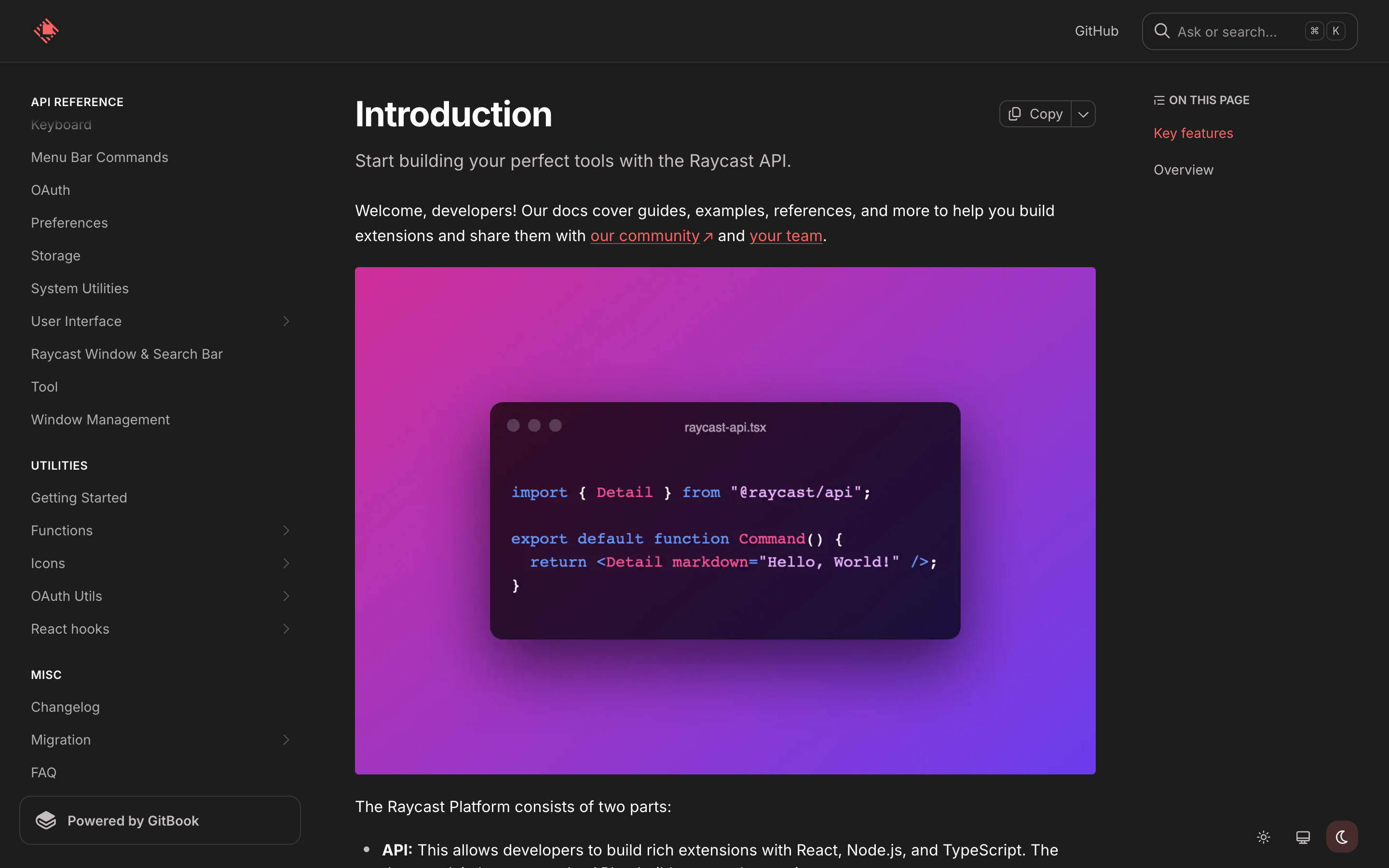
It is a lighter version of Stripe's row: one control per page instead of three per section. Page-level copying is fine for guides; for long references, section-level copying hands an agent far less noise.
The same changelog shows where this is heading: Raycast's 2.5.0 notes tell extension authors how to declare an MCP server and bundle Agent Skills, each in a SKILL.md file. The docs are teaching developers to write docs for agents.
Beyond the docs site: one line an agent can read
Elsewhere in the library, products compress their docs into one fetchable line and put it where a button would go.
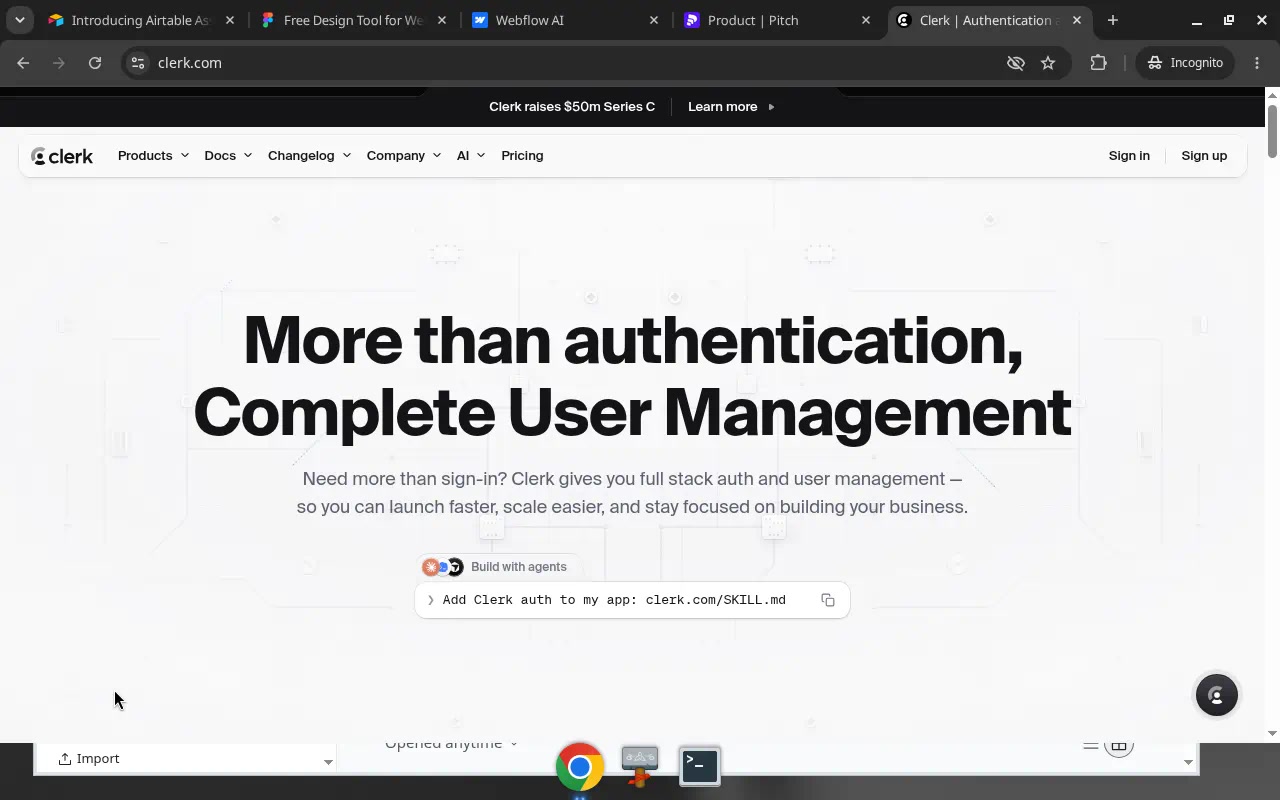
Clerk's feature page is the boldest case: under the headline, a "Build with agents" chip holds Add Clerk auth to my app: clerk.com/SKILL.md and a copy icon. There is no other hero action. Netlify's home does the same with "Add Netlify to your coding agent" above a copyable fetch https://netlify.ai. And the footer of Product Hunt's launch guide links llms.txt between Advertise and Contact.

Rive goes one step further and writes the prompt for you: "Install the Rive CLI from rive.app/cli. Let's build a 3D city." with a COPY button, then "Then open it in the Rive Editor to make it yours." The docs URL lives inside the prompt, so the agent finds the instructions on its own.
Setup steps written as prompts and commands
Onboarding is where this pattern turns into a default. Amplitude's "Let's get data in!" leads with an "AI prompt" card tagged "Recommended": "Run this custom prompt in an AI coding tool like Cursor or Claude to set up Amplitude", with "Open in Cursor" and "Copy Prompt".

Eraser makes MCP the docs: pick one of 10 clients (Claude Code, Cursor, VS Code, GitHub Copilot and others) and the card shows the exact command, such as claude mcp add --transport http eraser https://app.eraser.io/api/mcp, with a Copy chip. The full setup guide is still there, as a text link.

More are on the integration connect view and in an MCP search.
What to add to your docs
- Section-level actions on reference pages. Copy as Markdown and "ask about this" per section, as Stripe does, so an agent gets a clean slice instead of a whole page.
- A Markdown view of every page. "View as Markdown" is the cheapest feature here and the one agents use most directly.
- Ask next to search, not instead of it. Stripe keeps both boxes; Raycast merges them as "Ask or search…". Either way, keyword search stays.
- One fetchable entry point. An
llms.txt, aSKILL.mdor a short URL (Clerk, Netlify, Product Hunt) that tells an agent where to start. - Setup as a prompt or a command. Write the prompt yourself (Rive, Amplitude) or print the exact MCP command per client (Eraser), and keep the manual path one link away.
- Pin the version. Stripe's reference shows the API version ("2026-08-26.dahlia") in its header; copied context should say which version it describes.
How we counted
All screens were captured in desktop browsers with research accounts in September and October 2026. A vision model recorded each screen's attributes, and every claim here can be checked on the linked screen pages. With 10 docs screens from 6 products, this is a pattern study, not a census, and we capture what we saw, not usage or conversion data; we cannot tell you how often anyone presses "Copy for LLM".
Screenrove practises this too: we serve an llms.txt and an MCP server, so you can connect the Screenrove MCP server and ask your agent for docs pages with AI actions before you design your own.