 screenrove
Login page design examples: 118 SaaS sign-up screens compared
Login page design examples from 104 SaaS products: Google on 94% of 118 screens, passkeys on none, email-first beats passwords, and what the button says.
Google appears on 111 of the 118 login and sign-up screens we captured. Passkeys appear on none. Those two numbers frame every other finding in this set of login page design examples, collected from 104 real SaaS products, from Linear and Vercel to Gumroad and Slack.
We counted which providers sit next to Google, how many products still put a password field on the first screen, who offers enterprise SSO, how the page is laid out, what fills the space beside the form, and what the main button actually says. Every screen is on the login pages wall, so you can check any number below against the screenshots.
Login page design examples, by the numbers
Counts are per screen. A few products contributed more than one screen (an email step, an error state, a log-in page beside the sign-up), so 118 screens come from 104 products.
| What we counted | Screens | Share of 118 |
|---|---|---|
| Google button | 111 | 94% |
| Apple button | 43 | 36% |
| GitHub button | 35 | 30% |
| Microsoft button | 23 | 19% |
| Passkey option | 0 | 0% |
| Enterprise SSO / SAML | 21 | 18% |
| Email first (email field, no password yet) | 64 | 54% |
| Email and password on one screen | 28 | 24% |
| Split layout | 52 | 44% |
| Centred card | 49 | 42% |
| Modal | 12 | 10% |
| Full-bleed | 5 | 4% |
| Proof beside the form | 49 | 42% |
| Dark theme | 12 | 10% |
| Primary button starts with "Continue" | 61 | 52% |
Google is the default; the second button says who you sell to
The seven screens without a Google button are not exceptions. Each is either a second step (Vercel and Linear after you pick email, Evernote's password step) or a gate before the providers appear (Tana's "Get started", Glide's fork between the new product and Glide Classic, Fibery's AI workspace prompt). Every one of the 104 products shows Google somewhere in the flow we captured.
So the real design decision is the second button. 31 screens offer Google alone. 47 offer exactly two providers, and Google is always one of them. The partner is Apple on 23, GitHub on 18, Microsoft on 5 and X once, on Gumroad. Across all screens Apple reaches 43, GitHub 35 and Microsoft 23. Facebook is down to 7.
GitHub tracks the audience closely. All 16 developer-tool products in the set offer it, and some rank it above Google: Render lines up GitHub, GitLab, Bitbucket and Google in four equal boxes, Google last. Microsoft clusters on work tools such as Jira, Confluence, Smartsheet and Clockify.

The newest entry is on Vercel, which stacks "Continue with ChatGPT" between GitHub and Apple. It is the only screen in the set offering an AI assistant account as a login.
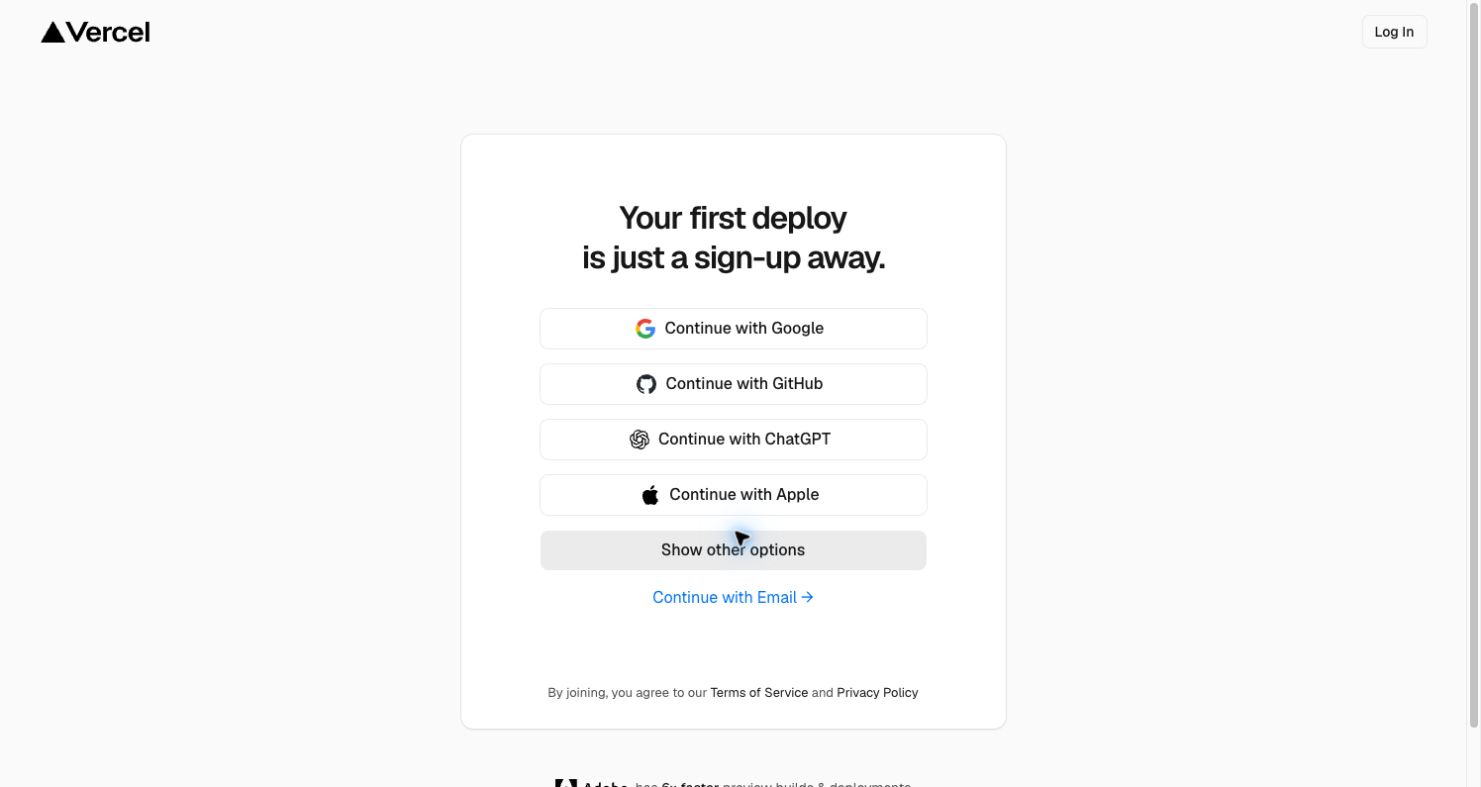
Passkeys: zero of 118
Not one screen offers a passkey, including the 21 that offer SAML or SSO for enterprise buyers. If you add one, you will not be matching a convention; you will be ahead of every product here. That cuts both ways: users have not been trained to look for it on a SaaS sign-up page yet, so it probably belongs beside the familiar options, not in place of them.
Email first, password later
64 screens (54%) ask for an email with no password field in sight, then decide the next step once they know who you are. Only 28 (24%) show email and password together, and the remaining 26 have no email field at all on the first screen, just provider buttons or a "Continue with email" button.
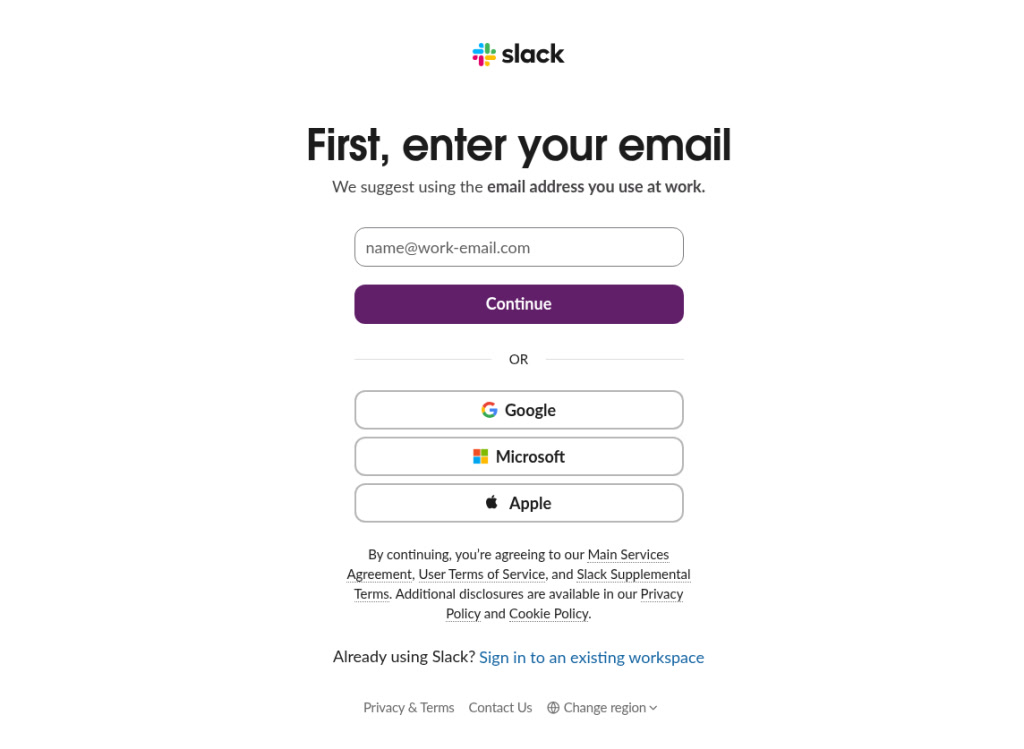
The 28 that keep the password up front tend to be products where a password account is still normal for the audience: Retool, Gumroad, Grafana, Sentry. Render's password placeholder is the one place in the set where the field teaches something: "correct horse battery staple".
Enterprise SSO: one screen in six
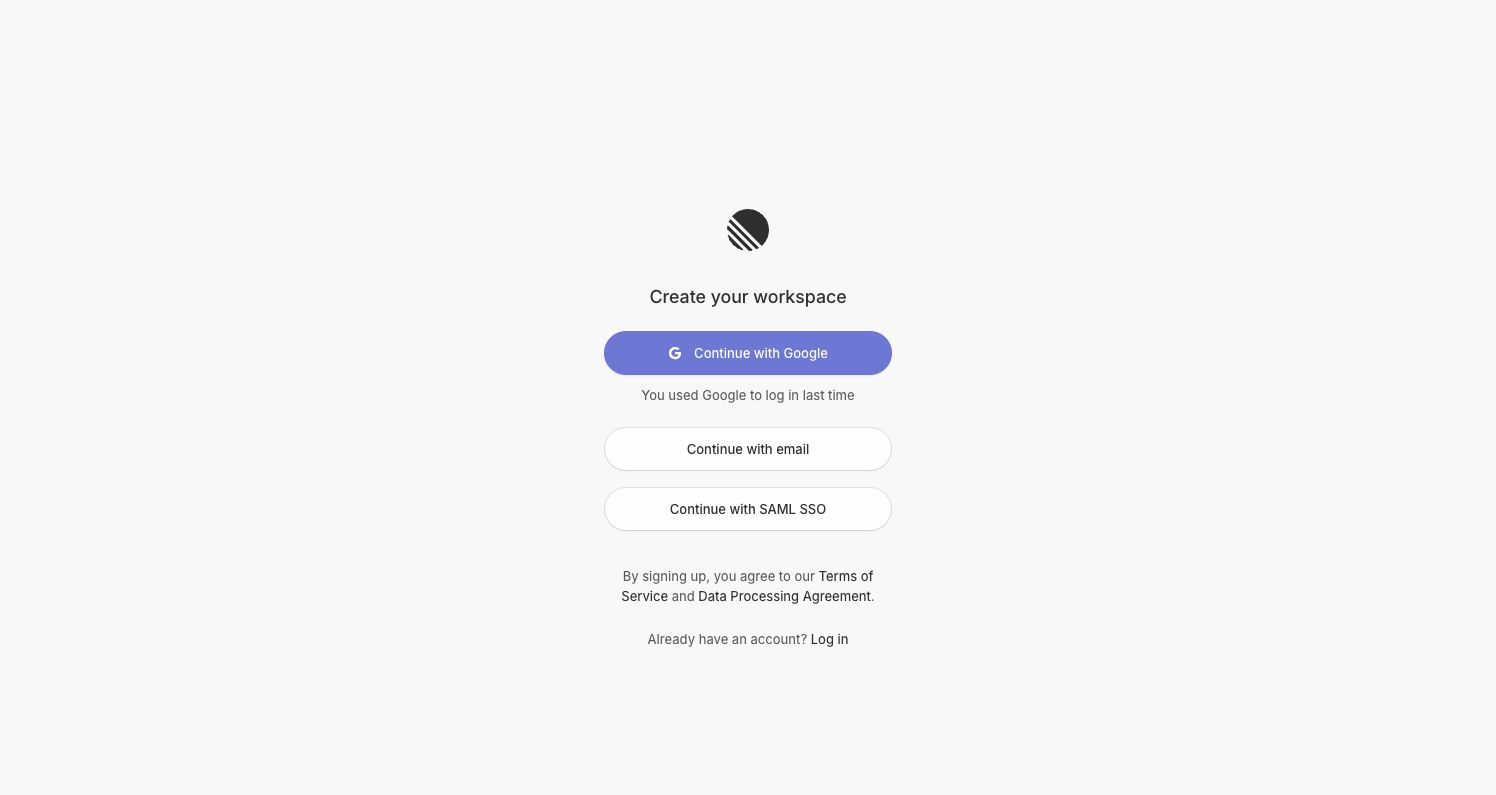
21 screens (18%) offer SSO or SAML. The placement is the interesting part. Linear gives "Continue with SAML SSO" a full-width button with the same weight as email; CodeSandbox tucks "Sign in with SSO" away as a footer link. AI tools are the heaviest adopters: 5 of the 8 AI tool screens (Gamma, Ideogram, Krea, Runway, Taskade) show it, more than any other category. Browse them with the SSO filter.
Split vs centred vs modal vs full-bleed
The layouts split almost evenly: 52 split screens, 49 centred cards, 12 modals and 5 full-bleed pages. What changes is what the extra space is used for. 38 of the 52 split layouts (73%) put proof beside the form: customer logos, a quote, a stat. Only 9 of 49 centred cards do, and none of the 12 modals.
The proof comes in a few shapes. Retool runs "Trusted by teams at" over Ramp, DoorDash, Stripe, Amazon, Adobe and OpenAI. Tana pairs a video-still quote from Ali Abdaal with 13 logos. Gumroad skips the side panel entirely and makes the headline do the work.

If you have a split layout and leave the visual half as decoration, you are in the minority: 14 of the 52 do. Browse the split layouts with proof for options.
Dark sign-in pages are a developer habit
12 screens (10%) are dark. Half of them belong to developer tools: 6 of the 20 developer-tool screens are dark (CodeSandbox, Checkly, Sentry, StackBlitz and both Neon screens), against 6 of the other 98. Outside that category, a light page is close to universal. See the dark ones.
What the buttons say
"Continue" won. 61 of the 118 primary buttons (52%) start with it. The most common labels are "Continue" on its own (31), "Continue with Google" (16), "Sign up" (16), "Continue with email" (12) and "Sign up with Google" (7). On 28 screens the primary button names Google.
"Continue" works because it fits sign-up, log-in and the 24 combined screens without asking the user to know which they are on. The products that pick a specific verb sometimes trip over it. Product Hunt's modal is headed "Sign up on Product Hunt" while every labelled button says "Sign in with". Tana's terms line reads "By creating an account", above four buttons that say "Sign in with".

What to steal
- Ship Google, then choose the second button by audience. Apple for consumer and prosumer, GitHub for developers, Microsoft for work tools. Two providers is the most common setup (47 screens).
- Ask for email before password. More than half the set does, and it lets you route SSO users, existing accounts and new ones from one field.
- Default to "Continue". It is the majority label and it never contradicts the heading. If you use "Sign up", make the provider buttons say it too.
- Make the SSO route visible if you sell to enterprises. A full-width button like Linear's beats a footer link.
- If you split the page, fill the other half with proof. A logo row, one quote or one exact number, as Gumroad and Vercel do.
- Consider a passkey. Nobody here offers one yet, so add it next to the familiar buttons rather than instead of them.
How we counted
We captured these screens in desktop browsers with research accounts between September and October 2026, mostly logged out. A vision model recorded each screen's attributes (layout, providers, fields, proof, theme, button label), and you can check them on each screen's page. Provider counts for Apple, GitHub and Microsoft come from our written notes on each screen, checked against the images. We record what we saw on the day, not A/B tests or conversion results, so none of this says which layout converts better.
Building your own? Connect the Screenrove MCP server and ask your agent for "split sign-up pages with proof beside the form" or "sign-up screens with SAML SSO" while you work.